

Planning Center integration
Volunteer training that runs on your Planning Center
EquipEngine assigns training from your Workflows, Services positions, Groups and People lists, then writes completions back to Planning Center. Your onboarding keeps running where it already runs, and the training step closes on its own.
Free for up to 50 learners. No credit card needed.

Connects to Planning Center People, Groups and Services with one admin sign-in.



What syncs
Assign training to the people you already organize
EquipEngine reads these from Planning Center and keeps them current. Groups, teams and lists sync every six hours, or right away when you click Sync now. Workflow steps are picked up as soon as a card moves.
People lists
Assign a course to any saved list. When the list changes in Planning Center, the people taking that course change with it.
Groups
Small groups and their members, with group leaders set up as team leaders so they can see their own people’s training.
Services teams and positions
Teams, their members and team leaders, plus the positions people are scheduled into. Send each position down its own training track.
Workflows
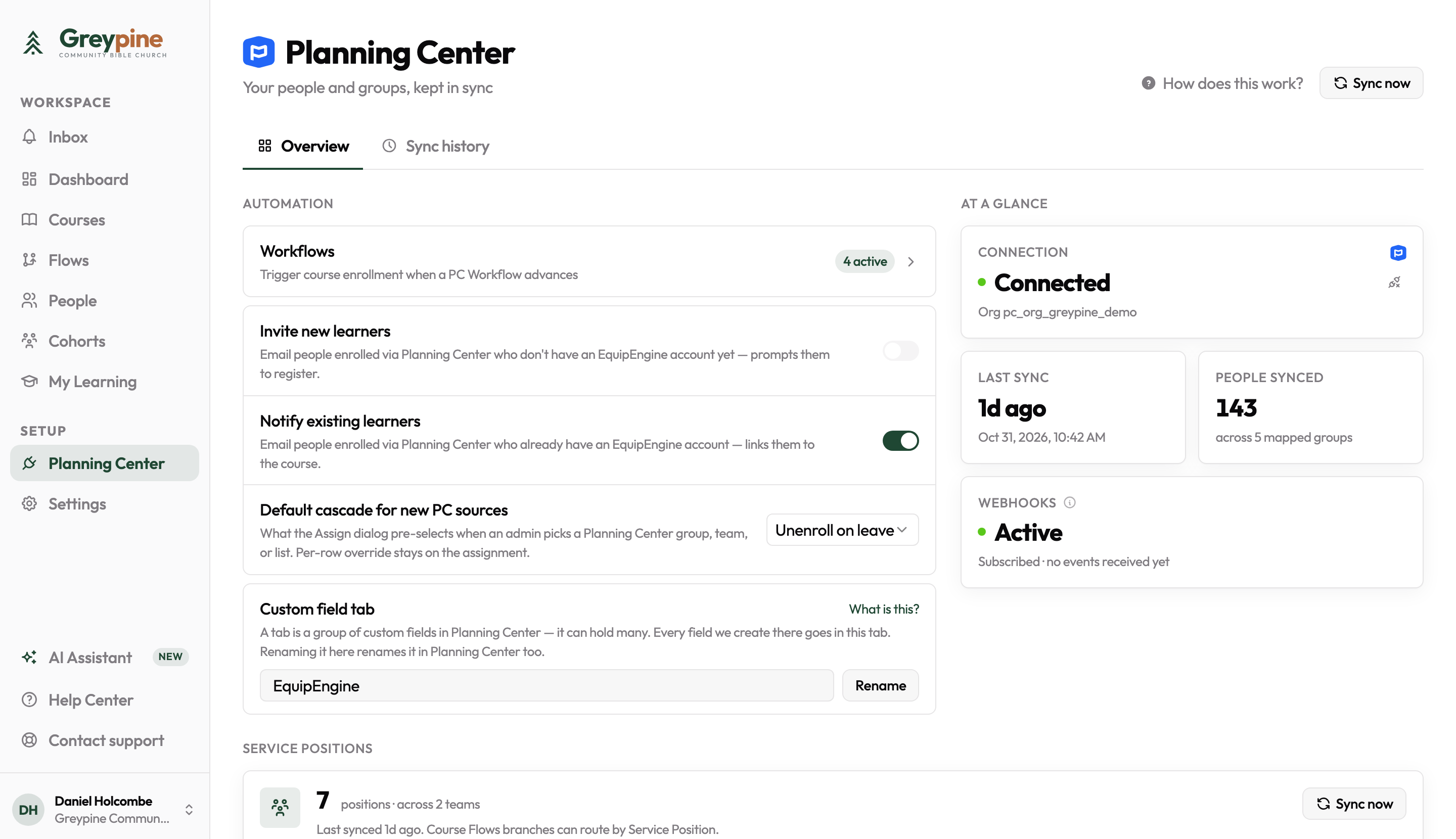
Link a Workflow step to a course. When someone’s card reaches that step, the course is assigned to them, usually within seconds.
What we write back
Completions show up in Planning Center
EquipEngine only writes what you set up on a course or a Workflow mapping. Nothing else in your Planning Center changes.
Notes on the Workflow card
A note when someone is enrolled and another when they finish, with a link to the course. Turn notes on or off per mapping.
Step advances
Finishing the course moves the card to the next step, or skips the step, so nobody on staff has to click it forward.
A custom field on the person
Stamp a completion date or a fixed value, like “Kids Safety Training Complete”, on their People record. Fields we create go in their own tab.
Assigning a course
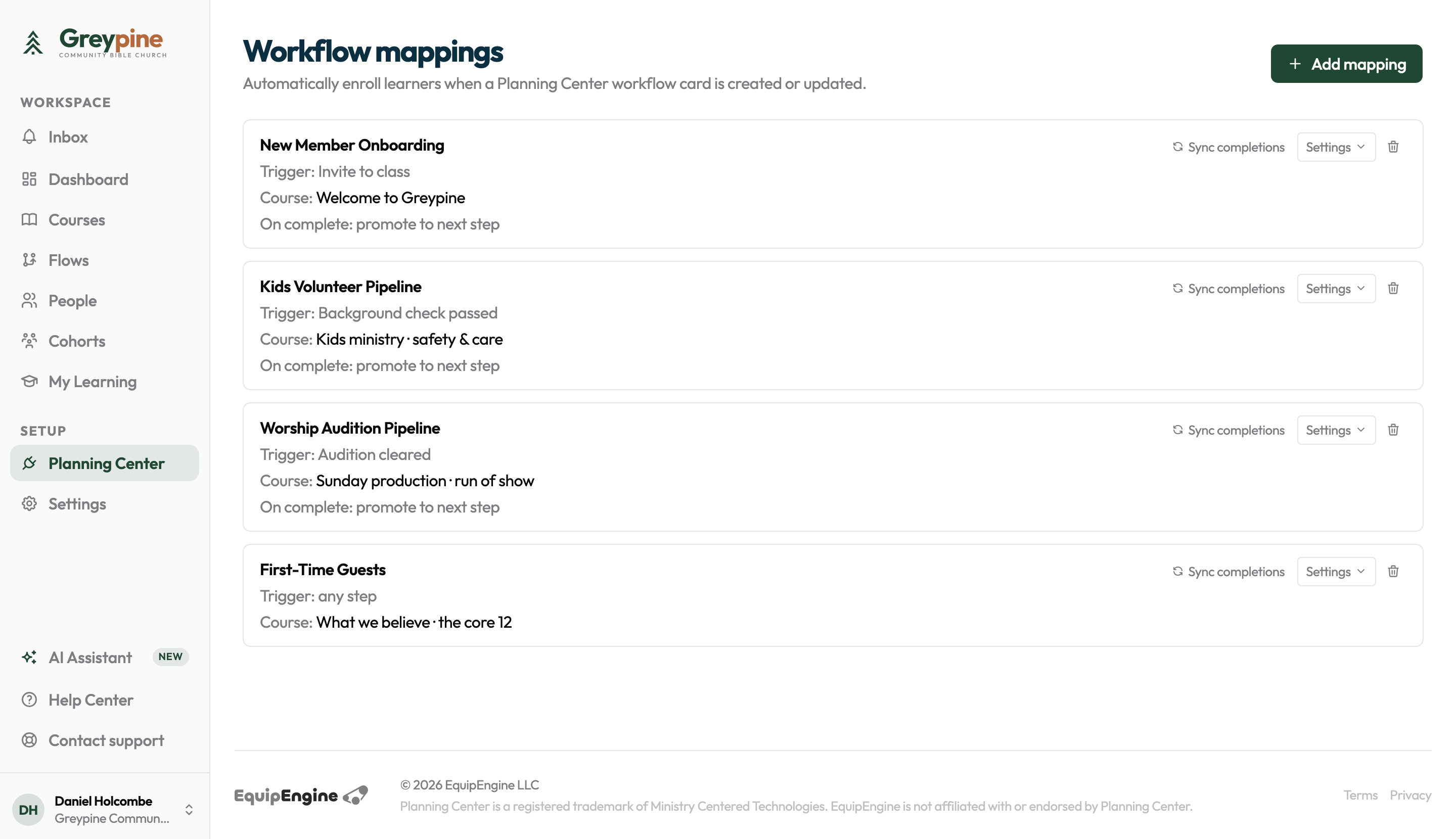
Pick a group, list or team and you’re done
Planning Center sources show up right in the assign sheet. Choose whether people stay enrolled or drop off when they leave the source. On Equip and Multiply, add a due date with automatic reminders.
Plans
What each plan includes
Starter is free and syncs People lists. Equip and Multiply add the rest of the integration.
| Planning Center feature | Starter | Equip | Multiply |
|---|---|---|---|
| Sign in with Planning Center | |||
| People lists sync and assignment | |||
| Groups and Services teams sync | |||
| Training tracks by Services position, team, group or list | |||
| Group and Services team leaders as team leaders | |||
| Workflow step assigns training | |||
| Workflow card notes and step advances | |||
| Completion written to a custom field |
Equip is $59/mo for up to 500 learners, and Multiply is $99/mo with no cap. See pricing for everything else in each plan.
What EquipEngine can access
An admin connects Planning Center once for the whole church and approves the People, Groups and Services permissions. Volunteers can then sign in with their own Planning Center login instead of a password. Planning Center tokens are stored encrypted, and disconnecting revokes them at Planning Center.
The setup guide lists every permission and every write, and the privacy policy explains how we handle Planning Center data.
Close the training step in your Workflows
Connect Planning Center, link one Workflow step to one course, and watch the next card close itself.
Start with Planning Center